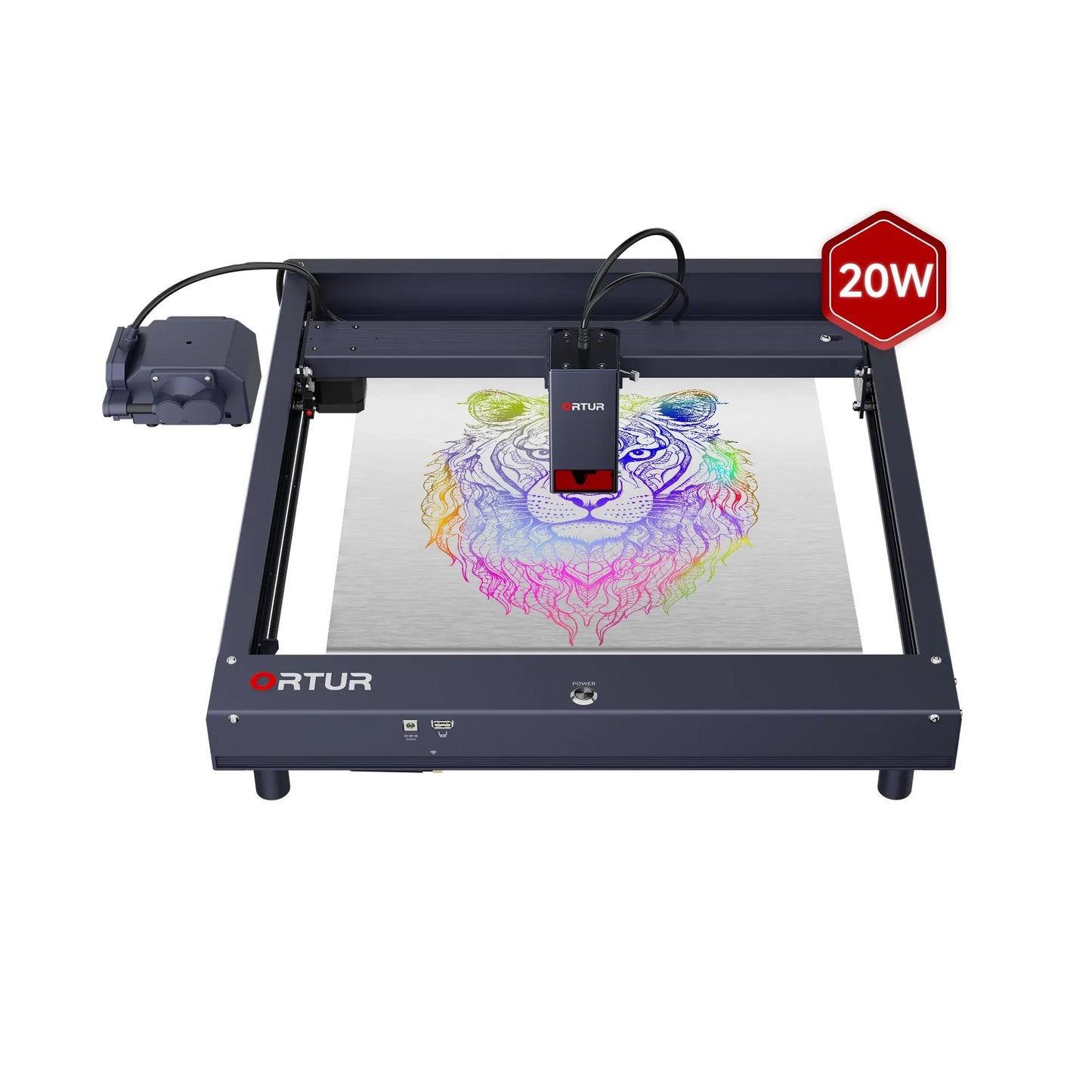
Ortur H10 Pre-Assembled Laser Engraver & Cutter
Couldn't load pickup availability
- Beginner-Friendly & Easy Setup: The preassembled 10W/20W Smart Desktop Engraver is perfect for first-time users—start creating anytime, anywhere with minimal effort.
- Stable & Powerful Performance: Featuring a creative flattened X-axis for high stability and a 20W laser with a free air pump, this engraver delivers powerful, precise results.
- High Precision Engraving: Achieve 0.01mm precision, supporting 256 grayscale and 380+ colors for intricate and vibrant engravings.
- Smart & Convenient Control: Use Ortur's app to easily start your engraving and cutting projects, all while benefiting from six built-in safety monitors for peace of mind.
- Compact & Portable: With a 300x300mm engraving area, this lightweight design is perfect for both desktop use and on-the-go creativity.
- ⚡ Don't worry about the plug! We will automatically ship the correct power adapter according to your shipping address. If you have a specific plug type request, feel free to leave a note at checkout or contact us.

Ortur Laser Master H10
Truly Measurable 20W Output
Equipped with 4 diode lasers, delivering high power for deep cuts and precise engravings.
What One-Pass Cutting Can Achieve
-
12mm Pine cutting in one pass
-
8mm Plywood cutting in one pass
-
8mm Black Acrylic cutting in one pass
Ready to Use – Right Out of the Box
Preassembled package for a hassle-free start to your engraving journey.
Revolutionary Flat X-Axis Design
Low center of gravity enhances stability, even at high speeds.
Industry-Leading 0.01mm Engraving Precision
Delivers ultra-fine engraved lines with crisp detail—perfect for intricate designs.
From Monochrome to 380+ Colors
Use different engraving settings to unlock vibrant colors on stainless steel.
Comprehensive Air Assist System
Built-in air tube with 40L/min free air assist, reducing burn marks by 50%.
256 Effective Grayscale Variations
Achieve realistic image transitions with smooth shading.
Enhanced Durability & Performance
-
Dual Cooling Fans (10,000 RPM)
Efficient heat dissipation for up to 10,000 hours of operation.
-
Airflow-Guided Blinds
Self-cleaning module with built-in air tube, keeping the lens dust-free.
-
Quick Focus Stick
Makes focusing fast, easy, and accurate.
-
Laser-Filtered Viewable Window
97% laser light filtration, ensuring safe observation during operation.
-
Adjustable Limit Switch
An affordable upgrade that helps you fine-tune your machine for better cutting precision.
-
Wire & Module Integration
Keeps the laser running smoothly and extends the module's lifespan.
6 Reliable Monitoring Systems for Safety
-
Motherboard Program Monitoring
Ensures stable performance.
-
USB Connection Monitoring
Prevents communication errors.
-
Current & Voltage Monitoring
Protects against electrical fluctuations.
-
Laser Exposure Monitoring
Regulates safe operation times.
-
Active Position Protection
Detects irregular movement.
-
Sloping Position Protection
Enhances stability during use.
Ortur User-friendly Software Designed for Every Skill Level
Inspiraesth offers both simple and professional software, adapting to every stage of your engraving journey.
-
Inspiraesth – Ortur’s Exclusive Engraving App
A powerful, self-developed app designed for both beginners and professionals.
-
LightBurn – Advanced, Customizable Engraving Software
A premium, feature-rich software that offers a fully customizable engraving experience.
-
LaserGRBL – Free & Easy-to-Use Engraving Software
A simple, no-cost solution that covers all your basic engraving needs.
Specifications
Laser Power
10W/20W
Maximum Speed
20,000mm/min
Working Area
300mm*300mm
Software
Inspiraesth (self-developed App)/LightBurn/LaserGRBL
Connectivity
WIFI/APP/USB/TF Card
Supported Systems
Android / iOS / Windows / MacOS / Linux
Supported Formats
JPG, SVG, PNG, BMP, G-code, CAD, AI, CDR, DWG
Safety Protections
· Laser Exposure Time Limit
· Tilt Motion Detection
· USB Connection Monitor
· Active Position Protection
· Anti-crash Watchdog Mechanism
· Voltage & Current Safety Control System
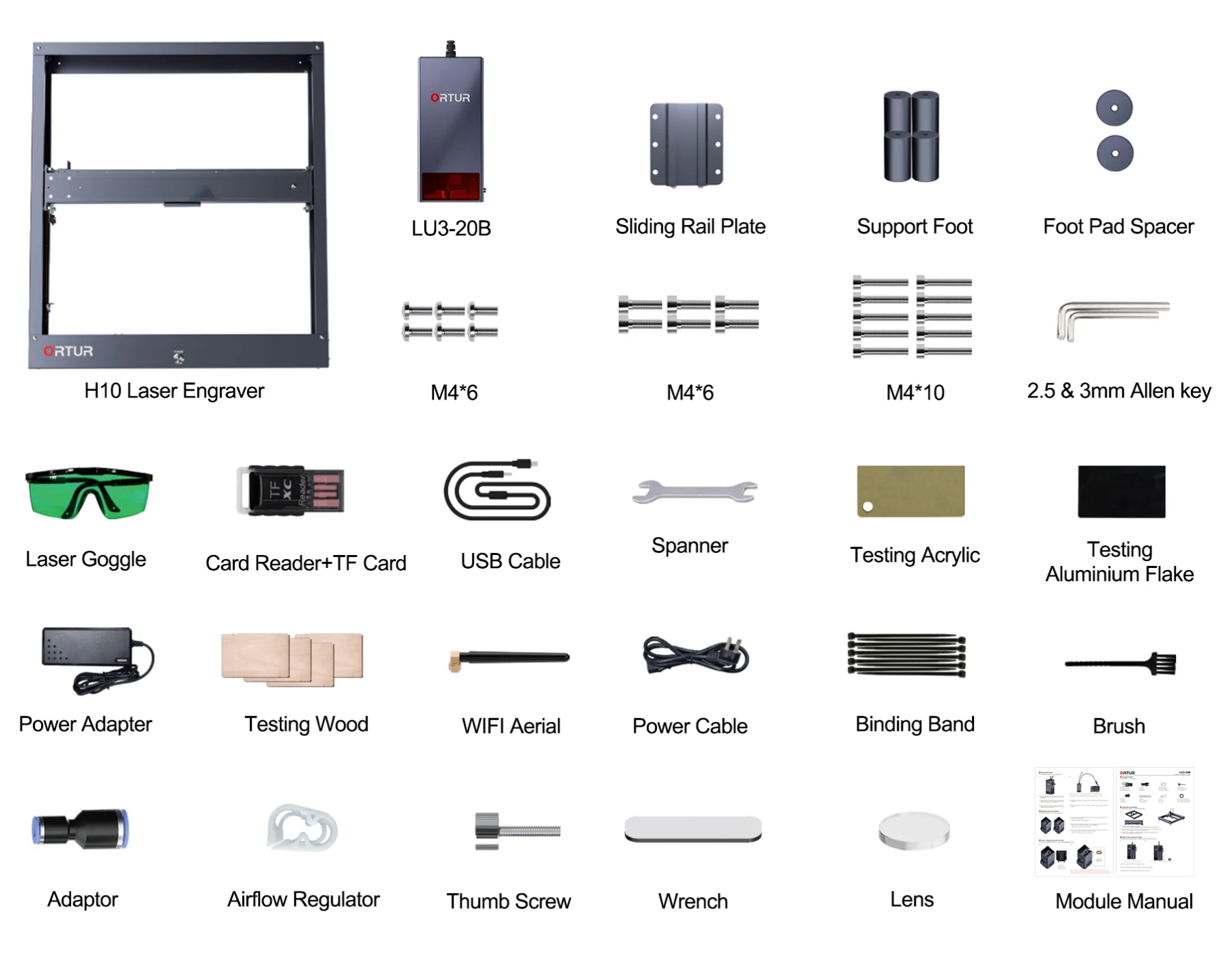
Package List
FAQs
1. Is the Ortur H10 suitable for beginners?
Yes. The Ortur H10 is designed as a beginner-friendly laser engraver with a pre-assembled structure, allowing users to start engraving right out of the box. It also supports a mobile app and simple software like LaserGRBL, making setup and operation easy even for first-time users.
2. What materials can the Ortur H10 engrave and cut?
The Ortur H10 can engrave a wide range of materials including wood, leather, glass, coated metal, acrylic, and more. It can cut materials like plywood and black acrylic, but cannot cut transparent acrylic. Pure metals cannot be engraved directly, but coated or oxidized metals can be marked.
3. How powerful is the Ortur H10 laser?
The Ortur H10 features a true 20W optical output created by combining multiple diode lasers. This allows it to cut materials like 8mm plywood or 12mm pine in a single pass under optimal conditions.
4. What is the engraving precision of the Ortur H10?
The machine offers engraving precision up to 0.01 mm, enabling highly detailed designs, grayscale images, and even color engraving on stainless steel using parameter adjustments.
5. Does the Ortur H10 require assembly?
No. The Ortur H10 comes largely pre-assembled, allowing users to start working almost immediately after unboxing, which significantly reduces setup complexity compared to DIY kits.
6. What software is compatible with the Ortur H10?
The Ortur H10 supports multiple software options including LaserGRBL (free), LightBurn (paid), and Ortur’s own mobile app. It is compatible with Windows, macOS, and Linux depending on the software used.
7. Can the Ortur H10 engrave cylindrical objects?
Yes. With a compatible rotary attachment (such as Ortur Y-axis Rotary Chuck), the H10 can engrave cylindrical objects like tumblers, bottles, and rings.
8. What safety features does the Ortur H10 have?
The Ortur H10 includes multiple safety systems such as an emergency stop button, tilt and motion detection, laser exposure control, voltage and current monitoring, and active position protection to ensure safe operation.
9. What is the working area of the Ortur H10?
The engraving area of the Ortur H10 is approximately 300 × 300 mm, making it suitable for desktop use while still offering enough space for most DIY and small business projects.
10. Can I upgrade or change the laser module on the Ortur H10?
Yes. The Ortur H10 supports multiple compatible laser modules, allowing users to upgrade or switch modules depending on their engraving or cutting needs. The H10 is compatible with LU3-20A/B, LU2-10A, LU2-4SF/LF.
11. Does the Ortur H10 include air assist?
Yes. The Ortur H10 20W comes with a built-in air assist system (with a free air pump), which helps reduce burn marks and improves cutting quality by blowing away debris during operation.
12. Can the Ortur H10 engrave glass or metal?
Yes, but with limitations. It can engrave glass surfaces (not cut them) and can mark coated or treated metals. For better results on glass, users typically apply a coating such as paint or thermal paper before engraving.
13. What makes the Ortur H10 different from other laser engravers?
The Ortur H10 stands out with its flat X-axis design for improved stability, true 20W output, built-in air assist, high precision, and beginner-friendly setup, making it suitable for both hobbyists and small business users.
14. Is the Ortur H10 good for small businesses?
Yes. With its high power, precision, and compatibility with various materials, the Ortur H10 is suitable for small-scale production such as custom gifts, signage, and personalized products.
15. Does the H10 support a Z-Height Adjuster?
Yes, the H10 supports Z-Height Adjuster. The Z-axis can be adjusted by modifying the limit sheet metal parts.
16. What are the Recommended Accessories for the H10?
Air Pump – Reduces burn marks, keeps lenses clean.
Laser Engraving Platform – Prevents damage to your work surface.
YRC1.0 Rotary Roller – Ideal fortumblers, rings, and cylindrical objects.
Enclosure 2.0 + Smoke Purifier – Ensures safe indoor use with clean air.
ORP1.0 Raiser – Elevates the laser fortaller engraving projects.
17. What’s the difference between LU3-20A & LU3-20B?
LU3-20A Uses COS technology for superior cutting performance.
LU3-20B Uses optical compression, ideal for thicker materials.
Répond à mon attente
En tant qu'apiculteur débutant dans l'univers de la gravure laser, j'ai opté pour l'ORTUR H10 pour personnaliser mes ruches. Malgré une courbe d'apprentissage assez raide pour un néophyte en informatique, j'ai finalement réussi à obtenir des résultats satisfaisants.
La puissance de 10W s'est révélée idéale pour graver le bois de mes ruches. Les finitions sont plutôt nettes, et j'ai pu réaliser des motifs complexes sans trop de difficultés. La fonction d'arrêt d'urgence est rassurante, surtout lorsqu'on débute.
Cependant, je dois avouer que la notice fournie laisse à désirer. Certaines explications sont trop succintes, et j'ai dû me plonger dans des tutoriels en ligne pour comprendre certains aspects. Il serait appréciable d'avoir une documentation plus détaillée, notamment pour les débutants comme moi.
Points forts :
Puissance adaptée pour le bois
Finitions correctes
Arrêt d'urgence sécurisant
Rapport qualité/prix intéressant
Points faibles :
Notice peu claire et incomplète
Courbe d'apprentissage assez raide pour les débutants
Conseils pour les futurs acheteurs :
Si vous êtes prêt à investir du temps dans l'apprentissage, l'ORTUR H10 est un bon choix pour débuter dans la gravure laser. N'hésitez pas à consulter des forums et des communautés en ligne pour obtenir de l'aide et des conseils supplémentaires.
Suggestions d'amélioration pour le produit :
Fournir une notice plus détaillée et illustrée
Proposer des tutoriels vidéo pour faciliter la prise en main
Après l’imprimante 3D, j’ai choisi le graveur laser ORTUR H10 pour découvrir un nouveau périmètre de bricolage créatif, et les projets de bricolage et de personnalisation d’objets en bois, métal et acrylique pour la famille.
📦 Packaging 📦
Le packaging est solide et bien conçu. Le carton est très grand car le graveur est bien protégé, ce qui évite tout dommage pendant le transport. L’assemblage est facilité par des instructions assez claires et détaillées.
💚 Ce que j’apprécie 💚
💚 La puissance de 10W qui permet une gravure précise et rapide.
💚 La fonction d’arrêt d’urgence pour une utilisation en toute sécurité.
💚 La compatibilité avec divers matériaux comme le bois, le métal, le verre et l’acrylique. C’est surtout le bois qui m’intéresse.
💚 L’utilisation possible depuis un smartphone en WiFi
💚 a capacité d’imprimer des objets assez grands en plusieurs fois
⚠️ Ce que je regrette ⚠️
⚠️ Le poids et la taille de l’appareil peut rendre son installation et son déplacement difficile.
En conclusion, le graveur laser ORTUR H10 est un excellent choix pour les amateurs de bricolage et de personnalisation, offrant puissance et polyvalence.
Le prochain investissement indispensable pour utiliser sereinement le produit : une plaque grillagée (pour ne pas mettre le feu au meuble qui est en dessous de l’appareil).
Et les autres idées : l’aspirateur de fumée et pourquoi pas les rouleaux pour la gravure cylindrique.
Nice easy setup
This laser works great. Product works as advertised. Nice small frame and is just right for a tabletop. Smooth movement I am just getting started with it but will send a complete review when I get it mastered.