Skip to product information
1 of 8

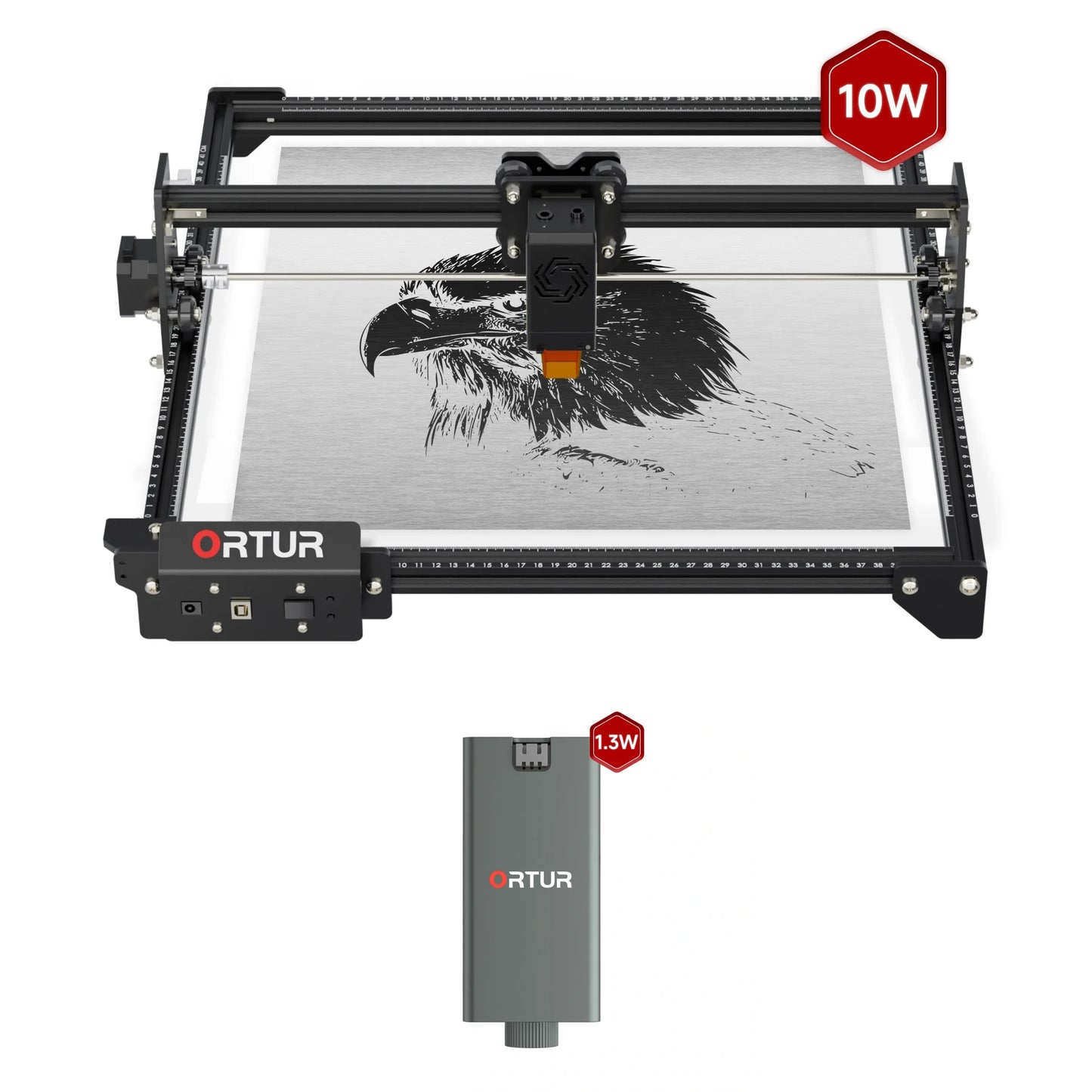
Ortur Laser Master 2 (LM2 S2) Laser Engraving & Cutting Machine

Ortur Laser Master 2 (LM2 S2) Laser Engraving & Cutting Machine

Regular price $349.00 USD
Regular price $499.00 USD Sale price $349.00 USD
-$150.00 Sold out
Shipping calculated at checkout.
Model
  • Ultra-Fine Precision: Spot compression to 0.07x0.06mm for highly detailed, crisp engravings.
  • Advanced Performance: Powered by a 32-bit professional motherboard, delivering smarter, faster, and more accurate engravings at speeds of up to 5,000mm/min.
  • Versatile Material Compatibility: Capable of engraving over 100 materials, including paper, bamboo, wood, leather, aluminum oxide, glass, and more.
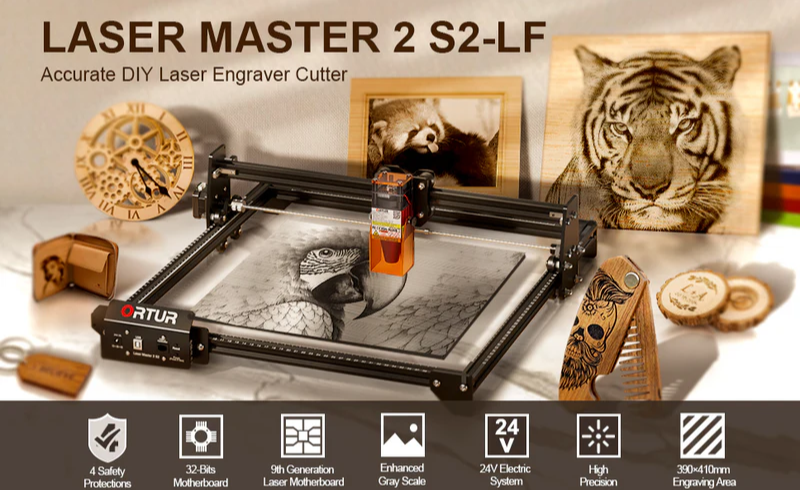
  • Comprehensive Safety Features: Equipped with five layers of protection—Tilt Motion Detection, USB Connection Monitor, Laser Exposure Time Limit, Active Position Protection, and Voltage & Current Safety Control System—for secure operation.
  • ⚡ Don't worry about the plug! We will automatically ship the correct power adapter according to your shipping address. If you have a specific plug type request, feel free to leave a note at checkout or contact us.
View full details
Ortur Laser Master 2 S2 machine

Ortur Laser Master 2 S2

Accurate DIY Laser Engraver Cutter

Ortur Laser Master 2 S2  laser module

Experience Ultimate Precision

  • Enhanced Mechanical Structure for superior performance
  • Focal Spot: 0.05 x 0.1 mm for unparalleled accuracy
  • Achieve delicate details down to 0.01 mm with ease
  • Ortur Laser Master 2 S2 wood cutting

    12mm Wood Cutting in One Pass

  • Ortur Laser Master 2 S2 acrylic cutting

    5mm Acrylic Cutting in One Pass

  • Ortur 10W Laser Module LU2-10A  pine board maximum cutting thickness 20mm

    Max 20mm Pine Board Cutting

  • Ortur 10W Laser Module LU2-10A  acrylic sheet maximum cutting thickness 30mm

    Max 30mm Acrylic Sheet Cutting

Ortur Laser Master 2 S2 ortur laser 1.8 series firmware

Ortur Laser 1.8 Series Firmware

The Ortur Laser 1.8 firmware, designed for ESP32 MCUs, optimizes motion algorithms and boosts stepper motor speeds up to 5,000 mm/min for enhanced performance.

Ortur LM2 S2 software

Seamless Software Compatibility

  • LightBurn (Paid) – Advanced, customizable features for pros
  • LaserGRBL (Free) – Simple and user-friendly for quick setups
  • Fully compatible with Windows XP to W10, Linux, and Mac OS
  • Supports a wide range of file formats, including JPG, PNG, BMP, DXF, NC, and more

Specifications

Laser Power

1.6W/5.5W/10W

Maximum Speed

5,000mm/min

Working Area

1.6W/5.5W/10W: 390mm*410mm
Extended to: 390mm*800mm

Software

LightBurn/LaserGRBL

Connectivity

USB

Supported Systems

Windows / MacOS / Linux

Supported Formats

JPG, SVG, PNG, BMP, G-code, CAD, AI, CDR, DWG

Safety Protections

· Tilt Motion Detection
· USB Connection Monitor
· Laser Exposure Time Limit
· Active Position Protection
· Voltage & Current Safety Control System

Package List

Ortur Laser Master 2 S2 package list
Ortur Laser Master 2 S2 laser modules

FAQs

1. What can the Ortur OLM2 S2 cut and engrave?

The Ortur OLM2 S2 can engrave a wide range of materials including wood, leather, acrylic, glass (with coating), stone, and coated metals. It can also cut materials such as plywood, paperboard, leather, and thin acrylic depending on the laser module power.

2. Can the Ortur OLM2 S2 cut wood or acrylic?

Yes. The cutting capability depends on the laser module:

5.5W: suitable for thin wood (e.g., 3mm plywood) and light acrylic cutting
10W: stronger cutting performance, supports thicker materials
Higher power modules improve efficiency and thickness capacity.

3. Is the Ortur OLM2 S2 safe to use?

Yes, it includes multiple built-in safety features such as:

Tilt/motion detection (auto stop)
Laser exposure time limitation
Voltage and current protection
Emergency stop behavior on connection loss
These features help reduce fire and misuse risks.

4. Does the Ortur OLM2 S2 support LightBurn?

Yes. The machine is compatible with:
LightBurn (paid, Mac/Windows/Linux)
LaserGRBL (free, Windows)
This makes it flexible for both beginners and advanced users.

5. Can I use the Ortur OLM2 S2 with a phone or tablet?

No. The Ortur OLM2 S2 does not support mobile devices and must be connected to a computer for operation.

6. What is the engraving area of the Ortur OLM2 S2?

The engraving area is approximately 390mm × 410mm (15.4" × 16.1"), which is suitable for most DIY, craft, and small business applications.

7. How fast is the Ortur OLM2 S2?

The engraving speed can reach up to:

Standard: 5,000 mm/min
Optimized firmware: up to 15,000 mm/min
Actual speed depends on material and engraving quality settings.

8. What laser power options are available?

The Ortur OLM2 S2 supports multiple interchangeable laser modules:
1.6W (entry-level engraving)
5.5W (balanced engraving + light cutting)
10W (enhanced cutting performance)
Users can upgrade modules based on their needs.

9. How long does the laser module last?

The typical lifespan is around 10,000 hours, though output power may gradually decrease over time. Regular lens cleaning helps maintain performance.

10. Is the Ortur OLM2 S2 good for beginners?

Yes. It is widely considered beginner-friendly because:
Easy assembly and setup
Compatible with beginner software (LaserGRBL)
Affordable entry price point
At the same time, it supports advanced workflows with LightBurn.

11. Can the engraving area be expanded?

Yes. The OLM2 S2 supports extension kits that allow users to increase the working area for larger projects.

12. What file formats does the Ortur OLM2 S2 support?

It supports common design formats including:
JPG / PNG / BMP
SVG / vector files
This ensures compatibility with most design software.

13. Does the Ortur OLM2 S2 require maintenance?

Yes. Basic maintenance includes:
Cleaning the laser lens every ~50 hours
Checking belts and mechanical parts
Keeping the machine dust-free
This ensures consistent engraving quality and longevity.