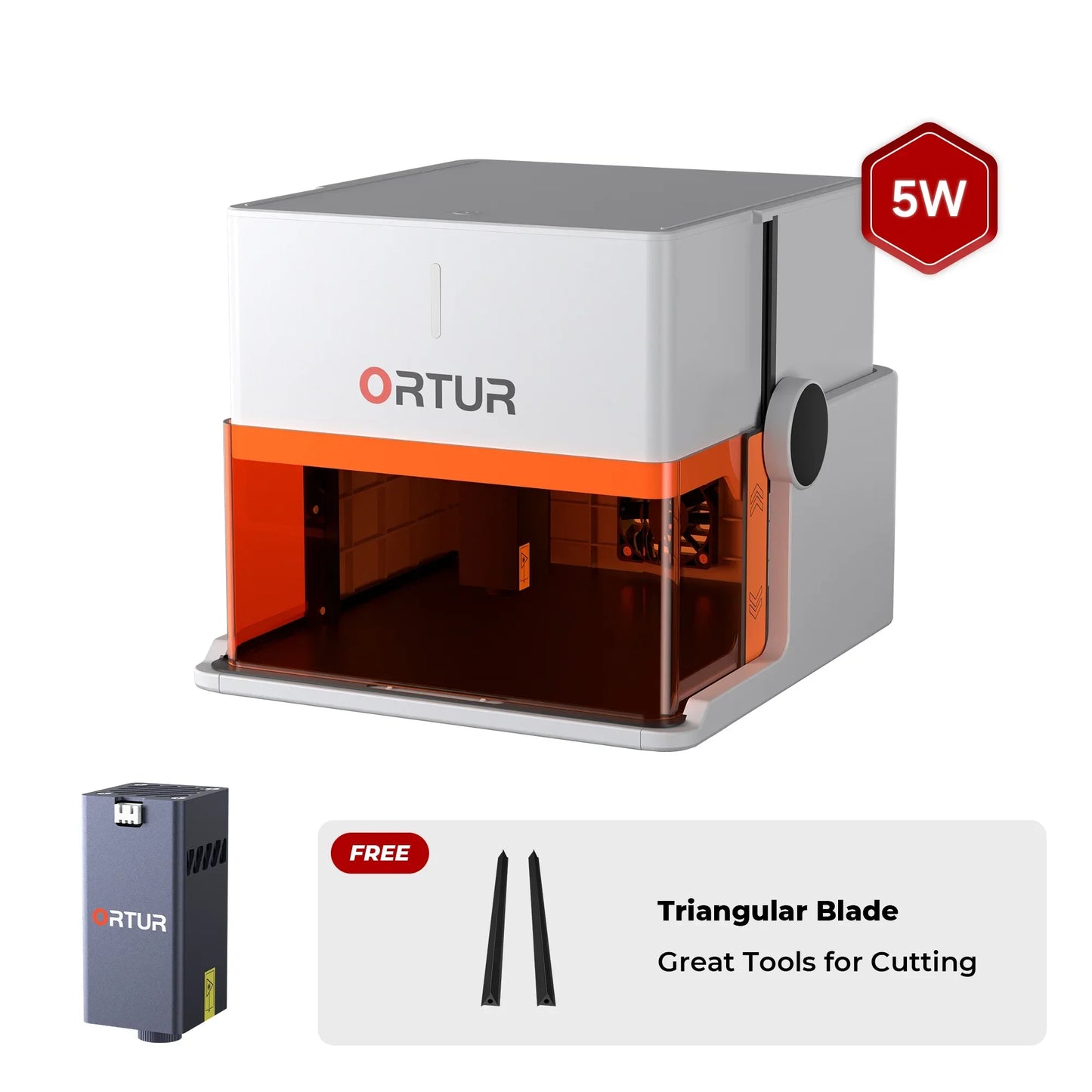
Ortur R1 Portable Laser Engraver
Couldn't load pickup availability
- Ready in Seconds – No assembly required. Just unfold, plug in, and start engraving—no tools, no waiting.
- Ultra-Portable Design – Weighing only 2.4kg, it’s lightweight and easy to take anywhere for on-the-go creativity.
- Dual Laser Technology – Equipped with a 5W blue laser for wood, leather, and acrylic, plus a 1.3W infrared laser for precision engraving on metals.
- All-in-One App – Create effortlessly with the built-in editor, design library, and multi-language interface—your idea goes straight to engraving.
- Gift-Ready – With its stylish handle design, the Ortur R1 makes a unique and practical gift for family, friends, or makers of all ages.
- Eco-Friendly & Certified – CE and RoHS approved, meeting EPEAT Silver standards for safer, more sustainable engraving.
- ⚡ Don't worry about the plug! We will automatically ship the correct power adapter according to your shipping address. If you have a specific plug type request, feel free to leave a note at checkout or contact us.

Ortur R1 Laser Engraver
Instant Setup – Start Engraving in Seconds
Unfold, plug in, and create. No tools. No hassle.
Fun Family Moments
Certified Class 1 Safety
Laser protection you can trust — safe for home, reliable for kids.
-
Automatic shut-off when the lid is opened
-
Tilt and movement detection with instant stop
-
USB lock for access control
Fun Gift Idea
Gift-Ready Handle Design
Built-in handle — gift-ready and easy to carry
5W Blue Light
Perfect for fine engraving on wood, leather, acrylic, and more — crisp details with every cut.
1.3W IR Light
Ideal for marking stainless steel, aluminum, and certain plastics — expand your creative possibilities.
Ultra-Portable
Create On the Go
Take your creativity anywhere, anytime.
Lightweight at Just 2.4 kg
Backpack-friendly design for effortless portability and creative freedom on the go.
From Idea to Engraving
All in One App
Your entire creative journey, simplified in one place.
Quick Custom Text Engraving
Type it in, choose from 19+ fonts, and engrave instantly.
Multi-language support, perfect for fast personalization and high-volume projects.
Snap & Engrave — Personalization in Seconds
Capture the moment, upload with one tap, and turn any photo into a one-of-a-kind design.
Dual App Modes — Create Anytime, Anywhere
Work online or offline. Control remotely, transfer files with ease, and keep your creativity flowing without limits.
-
Design Library — Endless Creative Fuel
Unlock a wide collection of ready-to-use templates for gifts, custom projects, and more. Inspiration is always at your fingertips.
-
Built-in Editor — Creativity Made Simple
Add text, draw shapes, and arrange layouts directly in the app. No extra software required, beginner-friendly and effortless to use.
-
Multi-Language Interface — Made for Everyone
Designed for global users with built-in language support. Switch easily between English, Chinese, French, German, and more.
Eco-Friendly & Quality
Specifications
Laser Power
1.3W IR/5W
Maximum Speed
5,000mm/min
Working Area
1.3W: 100mm*80mm
5W: 100mm*100mm
Software
ORTUR App/LightBurn/LaserGRBL
Machine Size
Folded: 272mm*250mm*140mm
Unfolded: 272mm*250mm*218mm
Packaging Size
328mm*302mm*201mm
Package List
Frequently Asked Questions
1. Is the Ortur R1 good for beginners?
Yes. The Ortur R1 is designed as a beginner-friendly laser engraver with no assembly required—users can start engraving immediately after setup.
2. What can the Ortur R1 engrave?
It can engrave wood, leather, acrylic, coated metals, stainless steel, glass, and more depending on the laser module used.
3. Does the Ortur R1 support metal engraving?
Yes, but only with the 1.3W (1064nm) infrared laser module, which is specifically designed for metals.
4. What is the working area of the Ortur R1?
The working area is approximately 100×100 mm with the 5W laser and 100×80 mm with the 1.3W IR module.
5. How fast is the Ortur R1?
The maximum engraving speed is around 5000 mm/min, depending on material and settings.
6. Is the Ortur R1 portable?
Yes, it weighs about 2.4 kg and features a foldable, compact design for easy transport.
7. Does the Ortur R1 require assembly?
No. It is designed for instant setup—just unfold and start engraving.
8. What software works with Ortur R1?
It supports LightBurn and LaserGRBL, as well as its own mobile app.
9. Can Ortur R1 work offline?
Yes, it supports both online and offline operation via app, USB, or TF card.
10. Is the Ortur R1 safe to use at home?
Yes. It is designed as a Class 1 laser device with multiple safety features such as tilt detection, auto shut-off, and exposure protection.
11. Is the Ortur R1 FDA compliant?
Yes, the device meets US safety standards including FDA and FCC certifications.
12. Is the Ortur R1 worth it?
For beginners and hobby users, it offers strong value due to its portability, ease of use, and dual-laser capability.
13. What is the difference between 5W and 1.3W IR laser on R1?
5W: wood, leather, acrylic
1.3W IR: metal, coated materials
Choosing depends on your engraving materials.
14. Are there any compatible accessories for the Ortur R1?
No, not at present.
15. Are R1 laser modules compatible with other Ortur machines?
The 1.3W infrared laser module is fully compatible with each other.
However, the R1 5W laser module is exclusive to the R1 and is not compatible with other Ortur machines.
Fantastic small laser. Would be good in classroom Only problem I have is getting items for engraving centered lots of trial and error could do with a grid or something to make it quick and easy
Ortur are great to deal with quick reply’s to emails Fast secure delivery. Cannot fault them.
Got my package today!!It's so lightweight-I couldn't wait to unbox it. Stay tuned for my new DIY projects!
Picked this up a few weeks ago and it's been solid. Folds out, plugs in, and you're ready to go. No setup or tools needed. Literally click it into place and start creating. I was engraving within 10 minutes.
It's compact, quiet, and easy to store. Doesn't take over the whole workbench, which I appreciate. Looks clean and sleek. It is 9.5"x8.75"x9.5"or 24x22.5x21.5cm.
The 5W laser cuts 3mm plywood in one pass with no problems. Engraving is sharp and fast. I've used it for wood, leather, and even tried QR codes just for fun. Works great with LightBurn. Just set it up as grbl.
Safety features are great. Auto shutdown, lid stop, tilt detection. Everything all built-in. I do like that it has a USB key that makes it so it doesn't run unless the USB is connected, which is a good safeguard if you've got kids around.
There's a quick guide printed right on the base, which is smart. Makes things simple. I had previously purchased the Ortur 1.3W IR module. With it installed i have a working area of 95mm for Y axis and 105mm for X axis.
If you're looking for a compact, powerful engraver that's easy to use and doesn't need a learning curve, this is a good pick. I'd buy it again. I think it is a great value for the price.
I highly recommend it.
Exceeded my expectations and was very easy to use. As someone new to laser engraving, I'm very happy I chose this machine. The instructions are clear, and there are helpful tutorial videos as well. Well done!!!
I received the package yesterday. The machine is surprisingly lightweight and requires no assembly-it was pretty much ready to use right out of the box, which is fantastic since I'm not very good with putting things together.
I tried engraving on a leaf, and the result turned out great-very clean and fast!