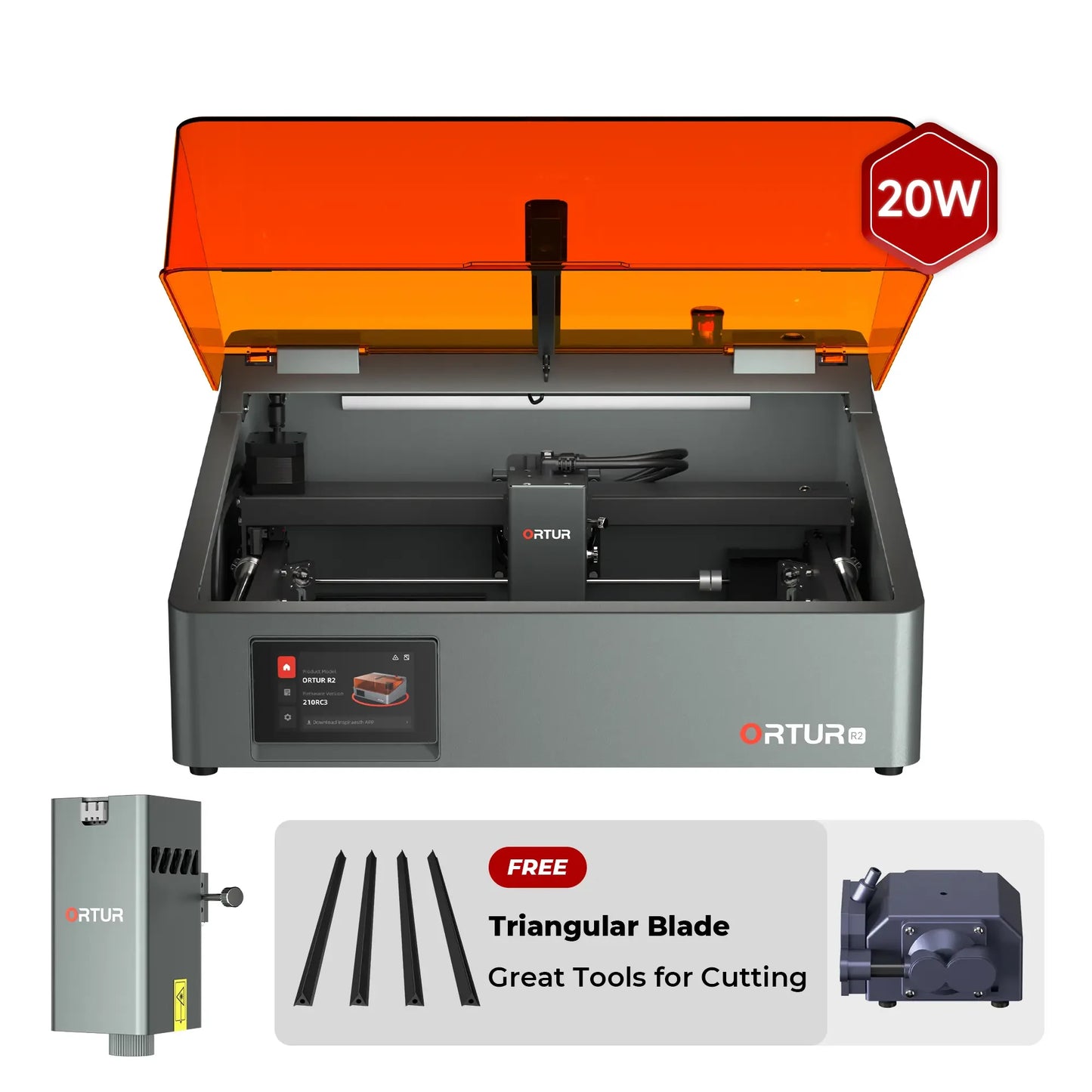
Ortur R2 Smart AI Laser Engraver & Cutter
Couldn't load pickup availability
- Plug-and-Play Setup: No complicated installation needed. Just plug in the power and start creating.
- Quiet & Odor-Isolating Design: Fully enclosed build blocks out engraving noise and odors, ideal for home use.
- HD Visual Display: Monitor device status in real time, with support for self-check and offline processing modes.
- Class 1 Safety Certified: Built-in flame detection triggers automatic shutdown for overheating or fire risks.
- AI-Powered App: Smart algorithms auto-generate engraving-ready designs, lowering the creative barrier.
- Precision Visual Positioning: Uses the same intelligent edge-detection system for ultra-accurate alignment.
- ⚡ Don't worry about the plug! We will automatically ship the correct power adapter according to your shipping address. If you have a specific plug type request, feel free to leave a note at checkout or contact us.

Ortur R2 Smart Laser Engraver
ORTUR R2 AI-Powered Assistant App
Designed and developed by Ortur, Inspiraesth is a smart companion app that simplifies your creative journey. Inspiraesth automatically turns your ideas into engraving-ready designs — no design skills required.
-
Hand-Drawn Engraving
Turn hand-drawn art into lasting memories. Kids' doodles, your own sketches — draw directly on your device and engrave in one tap.
-
Puzzle Mode
Unleash your creativity with Lego-style layouts. Customize rows and columns to build one-of-a-kind grid-based engravings.
-
QR Code Engraving
Engrave more than just images. Convert text, photos, or videos into unique QR codes and permanently etch them into your materials.
ORTUR R2 Smart Designs
From an adjustable screen to ultra-fine engraving, R2 combines usability and performance for a smoother, smarter creative workflow.
Flip-Up Screen
Like a laptop, the R2’s adjustable flip-up screen lets you find the perfect viewing angle — making setup and operation easier than ever.
Offline Mode with Smart Memory
No need to reconnect or resend files. The R2 remembers your last 8 engraving tasks across devices — ideal for repeat jobs and batch production.
Whisper-Quiet Operation
The fully enclosed design blocks out noise, making the R2 perfect for home use, studios, or any space where silence matters.
0.01mm Ultra-Fine Precision
Engrave down to 0.01mm — that’s 80 times finer than a human hair — for stunning, high-detail results on every project.
Engraves on 1000+ Materials
From daily crafts to professional-grade projects, R2 handles it all with precision and ease. Works effortlessly on wood, leather, acrylic, and cardboard — and just as confidently on stainless steel, stone, glass, ceramics, gold, silver, and anodized aluminum.
Class 1 Military-Grade Safety System
Engineered for peace of mind — safety that goes beyond expectations.
-
Class 1 Laser for Safe Operation
Built with a Class 1 laser system, the R2 is safe for home and professional use — no special protective gear needed.
-
Protective Laser Filter Cover
See clearly without strain. The built-in filter blocks harmful light while keeping your workspace fully visible.
-
5-Point Flame Detection System
Equipped with multi-sensor monitoring and enhanced smoke extraction, the R2 instantly detects abnormal heat and smoke.
-
Safety Lock System
Prevent unintended starts with one-click locking — keep your workspace secure at all times.
-
Motherboard Program Monitoring
Smart monitoring ensures stable voltage and current, protecting the machine and your materials during every task.
-
Emergency Stop Button
Stop instantly in critical situations — the emergency button gives you full control when it matters most.
-
Exposure Duration Detection
Blocks 97% of laser light and actively monitors exposure time to maintain a safe and user-friendly environment.
-
Active Position Protection System
- Tilt Detection
- Vibration Detection
- Active Position Monitoring
Ortur User-friendly Software Designed for Every Skill Level
Inspiraesth offers both simple and professional software, adapting to every stage of your engraving journey.
-
Inspiraesth – Ortur’s Exclusive Engraving App
A powerful, self-developed app designed for both beginners and professionals.
-
LightBurn – Advanced, Customizable Engraving Software
A premium, feature-rich software that offers a fully customizable engraving experience.
-
LaserGRBL – Free & Easy-to-Use Engraving Software
A simple, no-cost solution that covers all your basic engraving needs.
Compatible Accessories
-
Ortur Air Pump
Regular price $129.00 USDRegular priceUnit price / per$129.00 USDSale price $129.00 USD -
Ortur Laser Y-axis Rotary Chuck (YRC1.0)
Regular price $169.00 USDRegular priceUnit price / per$229.00 USDSale price $169.00 USDSale -
Ortur Universal Raisers for Ortur Laser Engraver
Regular price $59.00 USDRegular priceUnit price / per$89.00 USDSale price $59.00 USDSale -
Ortur Smoke Purifier
Regular price $569.00 USDRegular priceUnit price / per$569.00 USDSale price $569.00 USD -
Ortur Smoke Purifier Filters
Regular price $129.00 USDRegular priceUnit price / per$129.00 USDSale price $129.00 USD
Compatible Modules
-
Ortur 1.3W 1064nm Infrared Laser Module LR4-1A
Regular price $319.00 USDRegular priceUnit price / per$399.00 USDSale price $319.00 USDSale
Specifications
Laser Power
1.3W IR/10W/20W
Maximum Speed
20,000mm/min
Working Area
300mm*210mm
Software
Inspiraesth (self-developed App)/LightBurn/LaserGRBL
Machine Size
470mm*400mm*214mm
Packaging Size
558mm*493mm*305mm
Package List
Frequently Asked Questions
1. What can the Ortur R2 laser engraver do?
The Ortur R2 is a fully enclosed smart laser engraver designed for both beginners and advanced users. It can engrave and cut materials such as wood, leather, acrylic, coated metals, and certain plastics. With the optional 1.3W infrared module, it can also engrave metals like stainless steel and aluminum.
2. Is the Ortur R2 good for beginners?
Yes. The Ortur R2 is specifically designed as a beginner-friendly laser engraver. It features plug-and-play setup, a built-in HD camera for automatic positioning, and a mobile app with preset materials—allowing users to start engraving with minimal learning curve.
3. Does the Ortur R2 require assembly?
No. The Ortur R2 comes fully assembled and ready to use out of the box. Users only need to plug in the machine and start engraving, making it ideal for home users and first-time buyers.
4. What materials can the Ortur R2 engrave?
The Ortur R2 supports a wide range of materials, including wood, MDF, plywood, leather, acrylic, paper and cardboard, coated or anodized metals.
With the 1064nm infrared module, it can also engrave stainless steel, aluminum, metal alloys and coated metals.
5. Can the Ortur R2 cut materials?
Yes. The Ortur R2 can both engrave and cut materials. The cutting capability depends on the laser module:
10W: light cutting (e.g., thin wood, acrylic)
20W: stronger cutting performance for thicker materials
It is suitable for hobby and small business applications but not industrial-grade cutting.
6. What is the difference between 1.3W, 10W, and 20W versions?
1.3W (1064nm IR): Best for metal engraving and fine detail work
10W: Balanced option for engraving and light cutting
20W: Best for stronger cutting and faster processing
Each module is optimized for different use cases and is not interchangeable with other machines.
7. What is the working area of the Ortur R2?
The Ortur R2 offers a working area of up to 300 × 210 mm, depending on the laser module. The 20W version has a slightly reduced Y-axis range of 190 mm
8. Is the Ortur R2 safe to use at home?
Yes. The Ortur R2 is designed with multiple safety features, including:
Fully enclosed structure (odor & light isolation)
Flame detection system with auto shut-off
Lid-open protection
Real-time system monitoring
These features make it suitable for home and indoor environments.
9. Does the Ortur R2 have a camera?
Yes. The built-in HD camera enables automatic material positioning and alignment, making batch engraving more efficient and reducing manual errors.
10. Can I use the Ortur R2 without a computer?
Yes. The Ortur R2 supports standalone operation via its built-in screen and mobile app. Users can design, position, and start engraving directly from the app without connecting to a computer.
11. How fast is the Ortur R2 engraving speed?
The Ortur R2 supports engraving speeds of up to 20,000 mm/min, enabling faster production while maintaining high precision (up to 0.01 mm detail).
12. Is the Ortur R2 suitable for small business use?
Yes. With features like batch processing, auto-alignment, and high-speed engraving, the Ortur R2 is well-suited for small businesses, Etsy sellers, and personalized product production.
You must change the app, its to "basic"...
I have never had a laser engraver before and just a bit of testing on different materials so far. This was my retirement gift to myself to try and give me something to do. I think it fits the bill. This thing is seriously cool and so easy to setup and get going. There is a bit of a learning curve but this was just done with my phone and some graphics software. If I had a better imagination this would be so much better. I think it also would be allot easier using a computer and lightburn so it would be easier to align.
Oh man, I've been eyeing that ORTUR on Instagram for ages! I also came across tons of R2 videos, and after comparing it with other brands, I finally made up my mind to buy it. It arrived pretty quick, and it didn't let me down one bit-this little thing is totally my right-hand man! I'd swear by it after using it for just one day; it's absolutely amazing!
It's awesome! It's not clunky at all, and the engraving results are really good-sharp and clean. Trust me, you'll love it!
It is a nice machine with awesome possibilities. I like it really well!