Skip to product information
1 of 13

Ortur Laser Master 3 (LM3) Laser Engraving & Cutting Machine
Ortur Laser Master 3 (LM3) Laser Engraving & Cutting Machine

Regular price $1,999.00 USD
Regular price $2,919.00 USD Sale price $1,999.00 USD
-$920.00 Sold out
Shipping calculated at checkout.
Model
Package
  • Enhanced 40W Power: Upgrade to 40W laser power, enabling high-quality engravings with 380+ colors on stainless steel.
  • Precision Spot Size: The 0.08x0.08mm square spot ensures 256 levels of grayscale engraving for exceptional detail.
  • Powerful & Efficient: The 20W/40W laser, paired with a free Ortur Air Pump 1.0 and built-in air tube, reduces burn marks by 50% for cleaner, more professional results.
  • ⚡ Don't worry about the plug! We will automatically ship the correct power adapter according to your shipping address. If you have a specific plug type request, feel free to leave a note at checkout or contact us.
View full details

Ortur Laser Master 3

High-Precision 10W/20W/40W Diode Laser Cutter & Engraver

Laser Engraver and Cutter

Revolutionary COS Packaging Technology

Combines 4 diode laser beams to focus a finer, more powerful beam, delivering enhanced energy for superior cutting and engraving performance.

One-Pass Cutting

The combined and compressed laser beams deliver a true 20W of power, ensuring clean, efficient cuts in just one pass.

  • Ortur 20W Laser Module LU3-20A   pinewood cutting

    15mm Pinewood Cutting

  • Ortur 20W Laser Module LU3-20A   plywood cutting

    10mm Plywood Cutting

  • Ortur 20W Laser Module LU3-20A   acrylic cutting

    8mm Black Acrylic Cutting

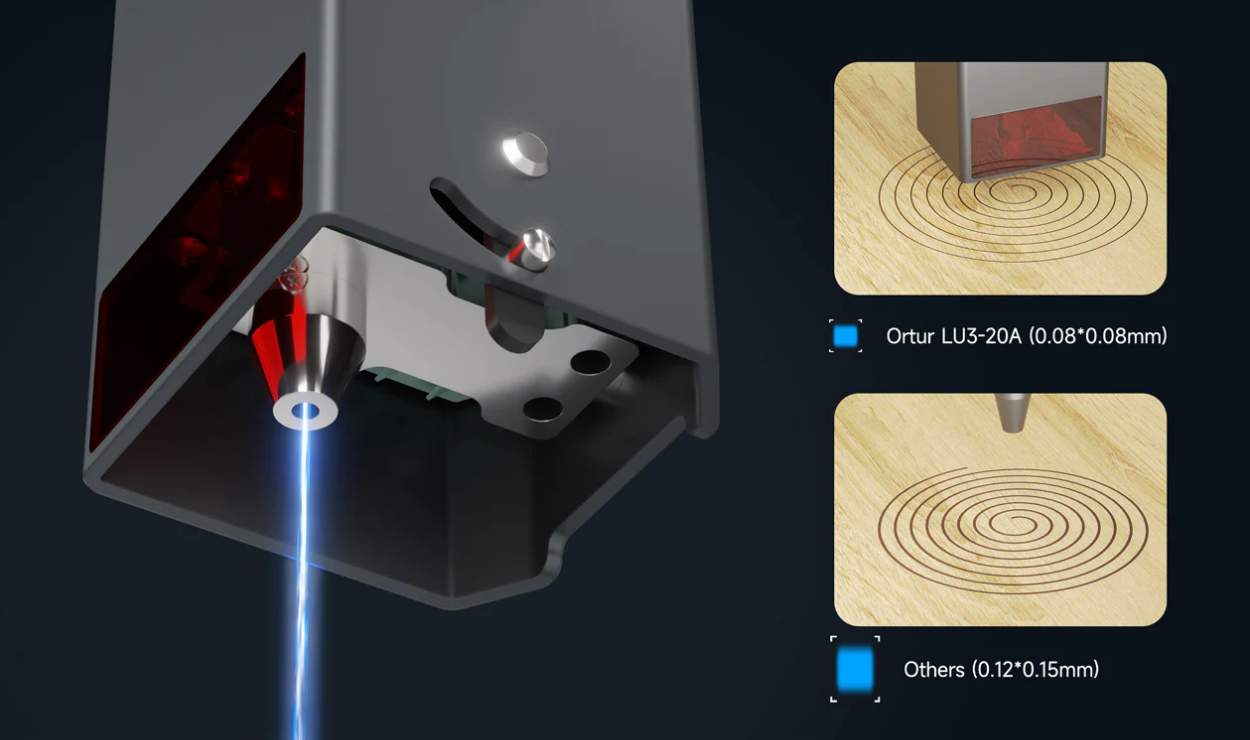
Ortur 20W Laser Module LU3-20A  rarely achieved square spot

Exceptional 0.08 x 0.08mm Square Spot

The ultra-fine compressed laser spot delivers top-tier precision, capturing every detail with 256 grayscale engraving options for your creative projects.

Ortur 20W Laser Module LU3-20A 380 colors on stainless steel

Unlock 380+ Colors on Stainless Steel

Varying parameters create a spectrum of vibrant colors, breaking free from the limits of just black and white.

Accessory Compatibility

Efficient Integrated Air Assist System

The built-in air tube works with the included 50L air pump to reduce burn marks by 50%, while the adjustable knob allows for precise airflow control.

Ortur 20W Laser Module LU3-20A cooling fans

—— 01

Dual Cooling Fans

Featuring a robust cooling system, the dual fans reach up to 10,000 RPM, enhancing the laser's durability and extending its lifespan to 10,000 hours.

Ortur 20W Laser Module LU3-20A airflow guided blinds

—— 02

Airflow-Controlled Blinds

The air-guided blinds, paired with built-in tubes, direct cooling airflow to minimize dust buildup on the lenses, reducing wear and tear over time.

Ortur 20W Laser Module LU3-20A quick focus stick

—— 03

Quick Focus Stick

Equipped with a quick-focus stick for effortless and precise focusing.

Ortur 20W Laser Module LU3-20A   laser filtered viewable window

—— 04

Laser-Filtered Viewable Window

Crafted from durable, high-quality glass, this laser shield filters out 97% of laser light, providing a safe and comfortable engraving experience.

Ortur 40W Laser Module LU3-40A

Upgrade to 40W

Purchase 40W Laser Module individually to access more powerful engraving experience if you already have 10W/20W.

Shop Now

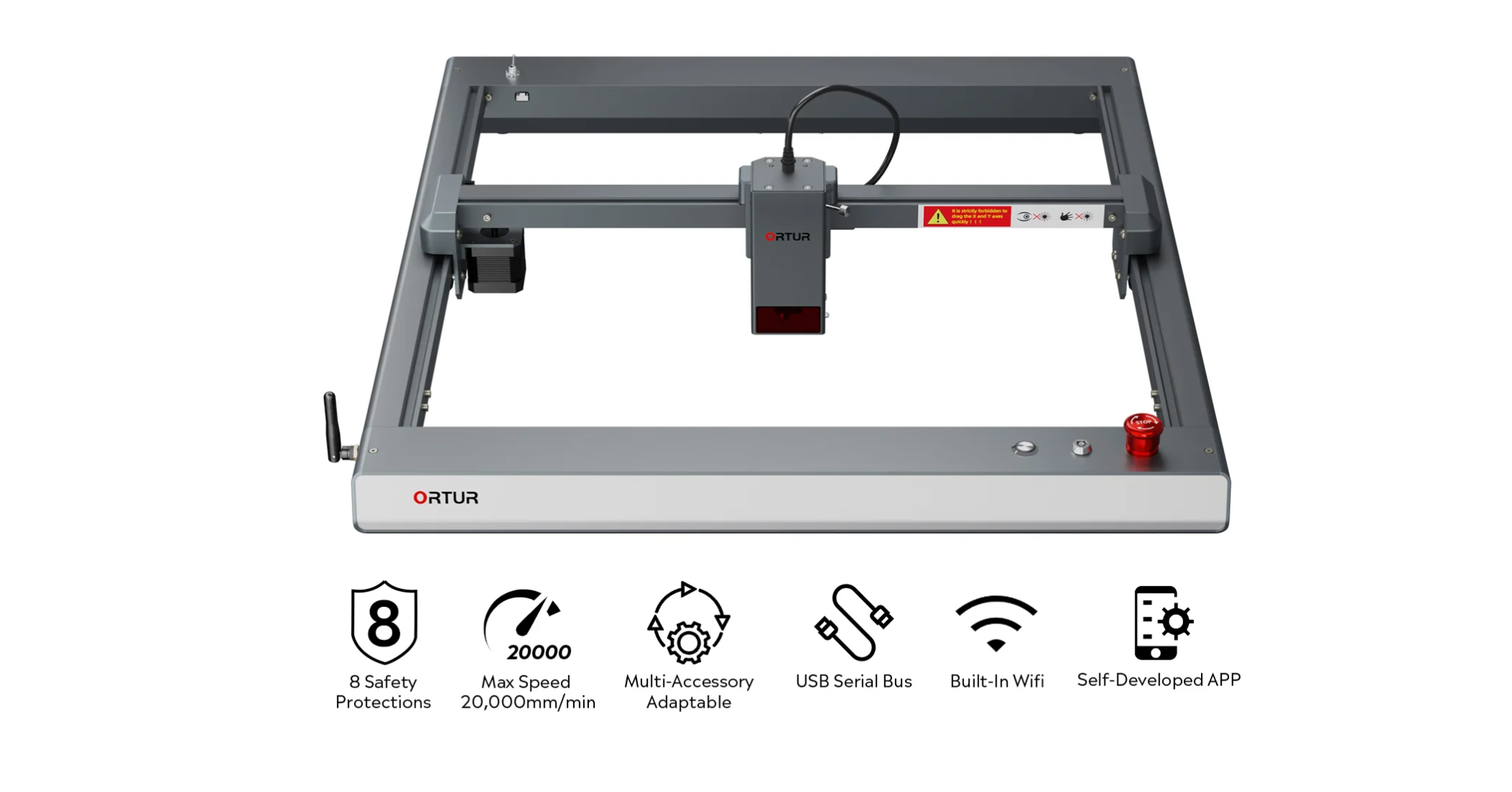
Safety in Every Detail

8 Safety Features for Ultimate Protection
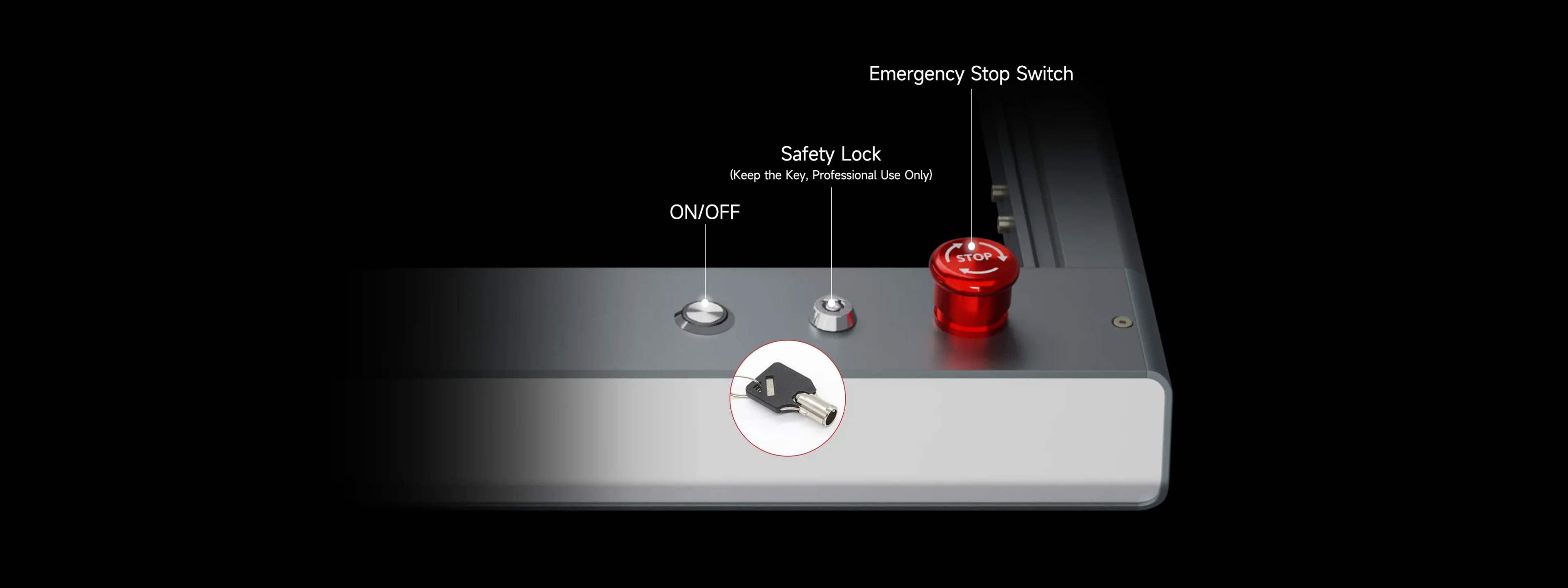
Experience peace of mind with 8 advanced safety features, including USB connection monitoring and a current-voltage control system, ensuring a completely secure engraving environment.

  • Ortur Laser Master 3 active position protection

    Active Position Protection

  • Ortur Laser Master 3 tilt motion detection

    Tilt Motion Detection

  • Ortur Laser Master 3 laser exposure time limit

    Laser Exposure Time Limit

Ortur Creativity for All Levels
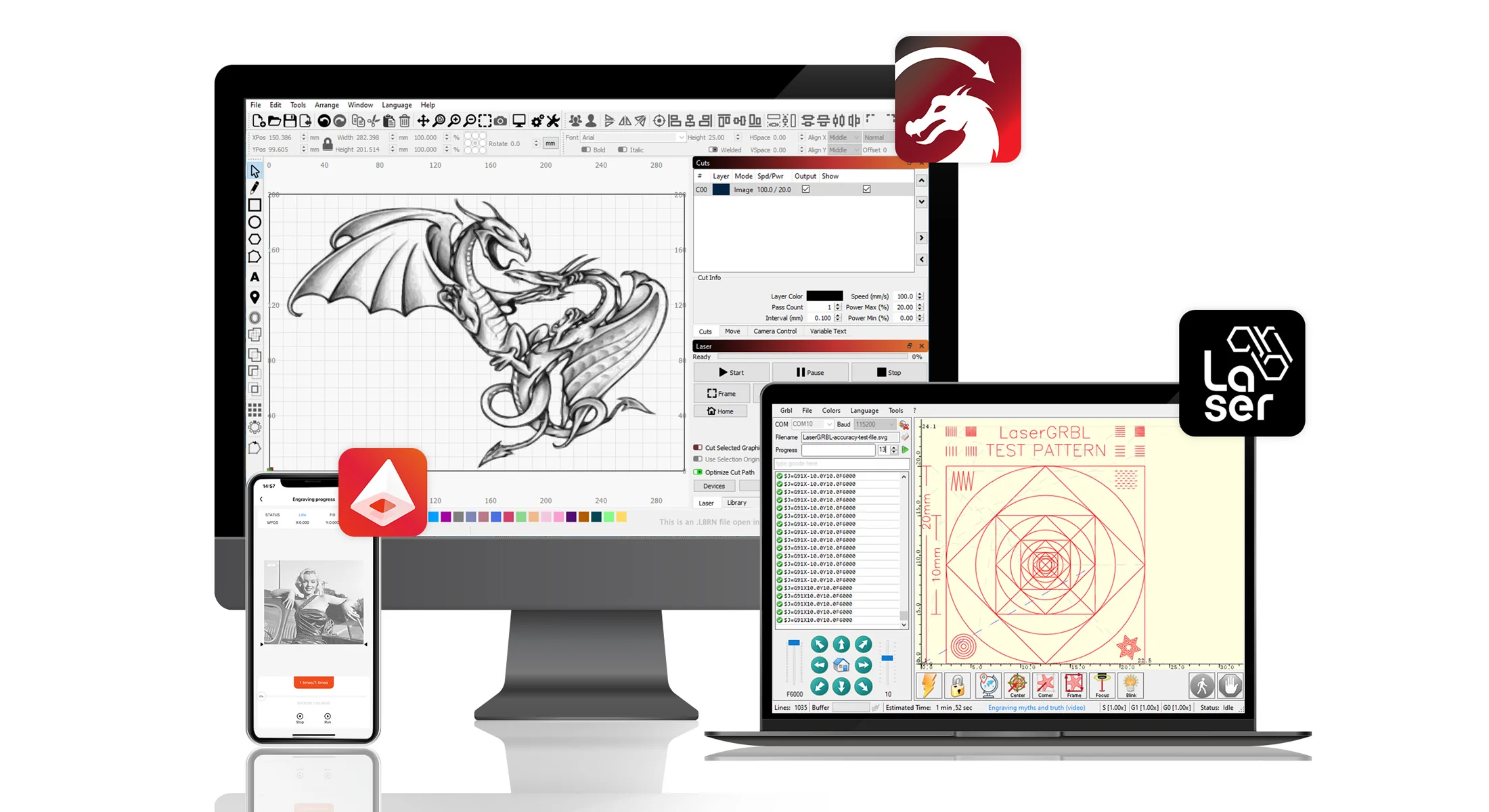
Inspiraesth provides both simple and professional software options, supporting you at every stage of your engraving journey.

Ortur Laser Master 3 software
  • inspiraesth

    Inspiraesth – Ortur’s Exclusive Engraving App

    A powerful, self-developed app designed for both beginners and professionals.

  • lightburn

    LightBurn – Advanced, Customizable Engraving Software

    A premium, feature-rich software that offers a fully customizable engraving experience.

  • lasergrbl

    LaserGRBL – Free & Easy-to-Use Engraving Software

    A simple, no-cost solution that covers all your basic engraving needs.

Specifications

Laser Power

10W/20W/40W

Maximum Speed

20,000mm/min

Working Area

10W: 400mm*400mm
20W/40W: 400mm*380mm
Extended to: 400mm*850mm

Software

Inspiraesth (self-developed App)/LightBurn/LaserGRBL

Connectivity

WIFI/APP/USB/TF Card

Supported Systems

Android / iOS / Windows / MacOS / Linux

Supported Formats

JPG, SVG, PNG, BMP, G-code, CAD, AI, CDR, DWG

Safety Protections

· Safety Lock
· Emergency Stop Button
· Laser Exposure Time Limit
· Tilt Motion Detection
· USB Connection Monitor
· Active Position Protection
· Anti-crash Watchdog Mechanism
· Voltage & Current Safety Control System

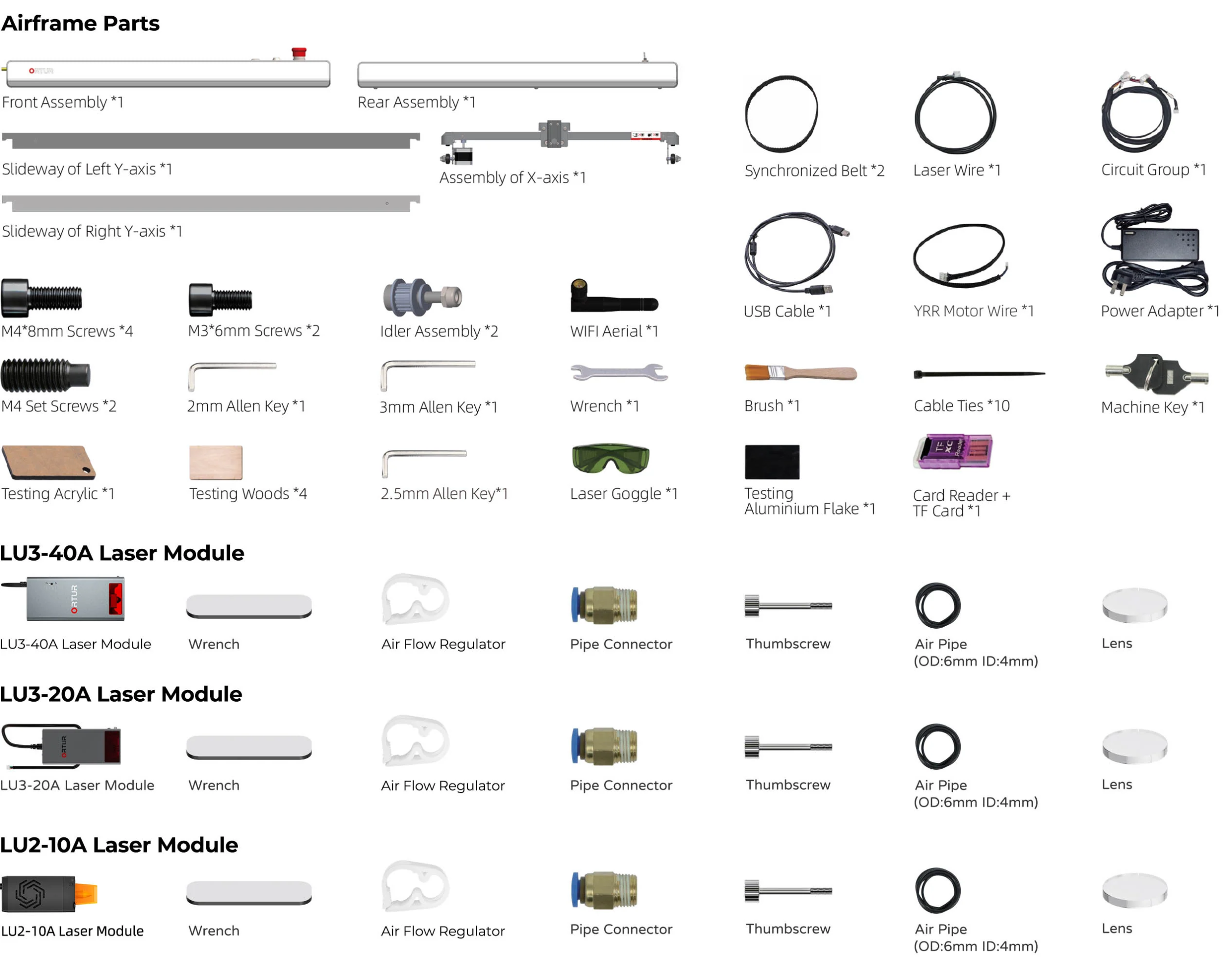
Package List

Ortur Laser Master 3 package list

FAQs

1. What can the Ortur Laser Master 3 cut and engrave?

The Ortur Laser Master 3 (OLM3) can engrave and cut a wide range of materials including wood, plywood, acrylic, leather, glass (coated), anodized aluminum, and stainless steel (with color engraving). With up to 20W optical power, it can cut up to 10–15mm wood and engrave over 380 colors on metal surfaces depending on settings.

2. Is the Ortur OLM3 good for beginners?

Yes, the OLM3 is beginner-friendly thanks to its quick assembly, guided software options, and features like a quick focus stick and built-in air assist. It supports both simple and advanced workflows, making it suitable for hobbyists and small business users.

3. What software works with Ortur Laser Master 3?

The Ortur OLM3 is compatible with popular laser engraving software such as LightBurn and LaserGRBL. It also supports Ortur’s proprietary software with beginner and professional modes for different user levels.

4. Does the Ortur OLM3 come with air assist?

Yes. The OLM3 features an integrated air assist system with a built-in air tube and included air pump (on selected 20W/40W bundles), which helps reduce burn marks by up to 50% and improves cutting quality.

5. How powerful is the Ortur Laser Master 3?

The OLM3 is available in multiple configurations (10W, 20W, and higher 40W modules). The 20W version delivers strong cutting performance with compressed laser beams, enabling one-pass cutting on materials like plywood and acrylic under optimal conditions.

6. Is the Ortur OLM3 safe to use at home?

Yes, the OLM3 is designed with multiple safety features including a laser-filtering protective window (up to 97% filtration), emergency stop, motion detection, and exposure control systems. However, users should still follow proper ventilation and safety practices when operating any laser machine.

7. Can the Ortur OLM3 engrave metal?

Yes. The OLM3 can engrave on coated metals and anodized aluminum, and it can produce over 380 colors on stainless steel through oxidation effects by adjusting laser parameters.

8. What is the engraving accuracy of Ortur Laser Master 3?

The OLM3 uses a compressed laser spot (as small as 0.08 × 0.08 mm), allowing for high-detail engraving with up to 256 grayscale levels, making it suitable for intricate designs and photo engraving.

9. How long does the Ortur OLM3 last?

The machine features a dual cooling fan system with up to 10,000 hours of service life for the laser module under normal operating conditions, depending on usage and maintenance.

10. Does Ortur OLM3 require assembly?

The OLM3 comes partially pre-assembled and typically requires minimal setup. Most users can complete assembly within a short time, making it accessible even for first-time laser engraver users.

11. What is the warranty for Ortur laser engravers?

Ortur provides a 1-year warranty covering non-human-caused issues, along with a 30-day return policy for eligible products purchased through official channels.

12. Can I upgrade the laser module on the Ortur OLM3?

The OLM3 supports compatible Ortur laser modules (such as 10W, 20W or 40W upgrades). However, using third-party high-power modules may require additional power and controller compatibility, so official modules are recommended for stability and safety.

13. What makes OLM3 different from other diode laser engravers?

Key differentiators include:

Integrated air assist system
High-speed engraving capability
Fine compressed laser spot for precision
Advanced safety protections
Color engraving on stainless steel

These features position it as a mid-to-high tier desktop diode laser.

14. Can the Ortur OLM3 be used for small business or Etsy shops?

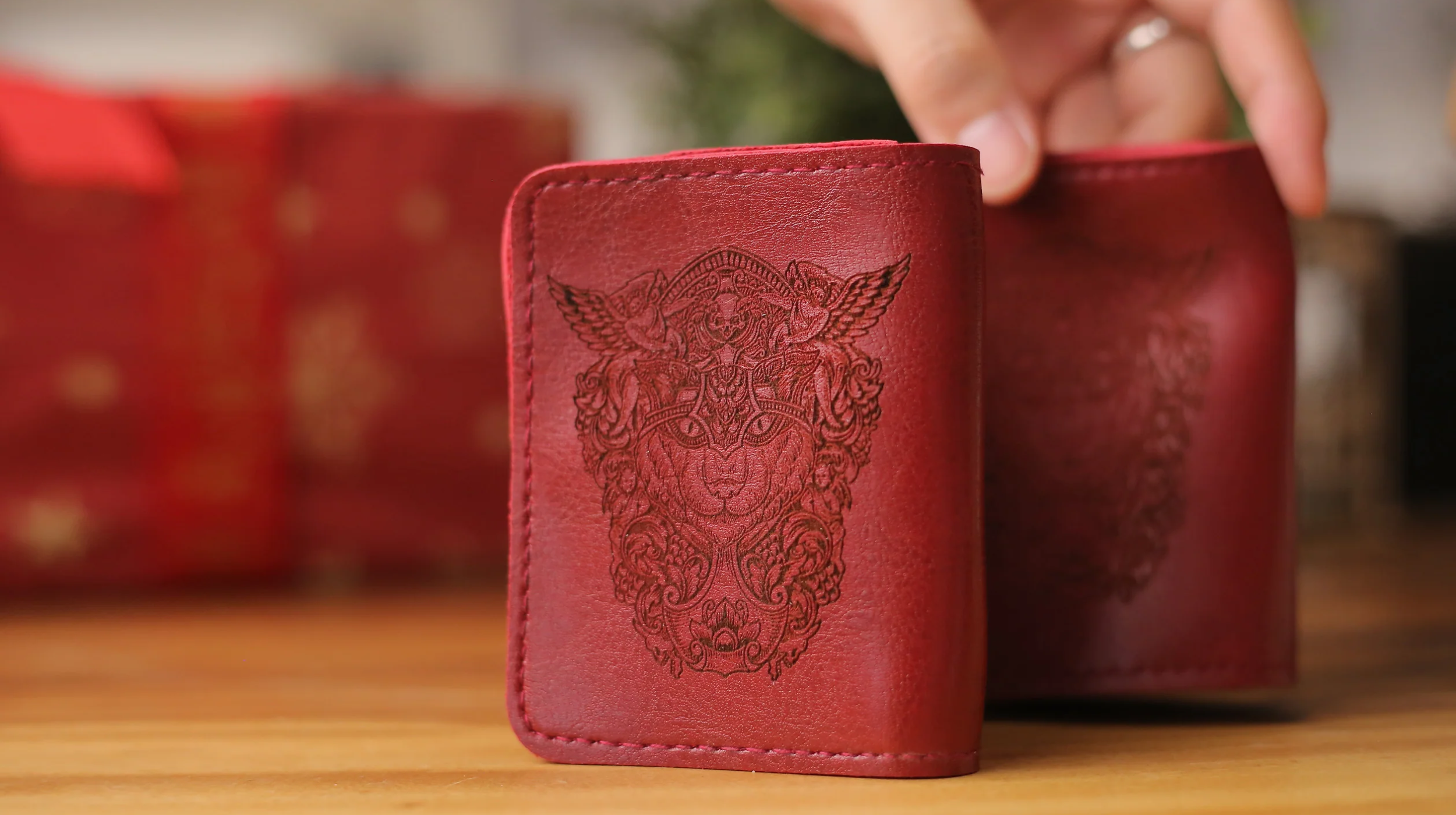
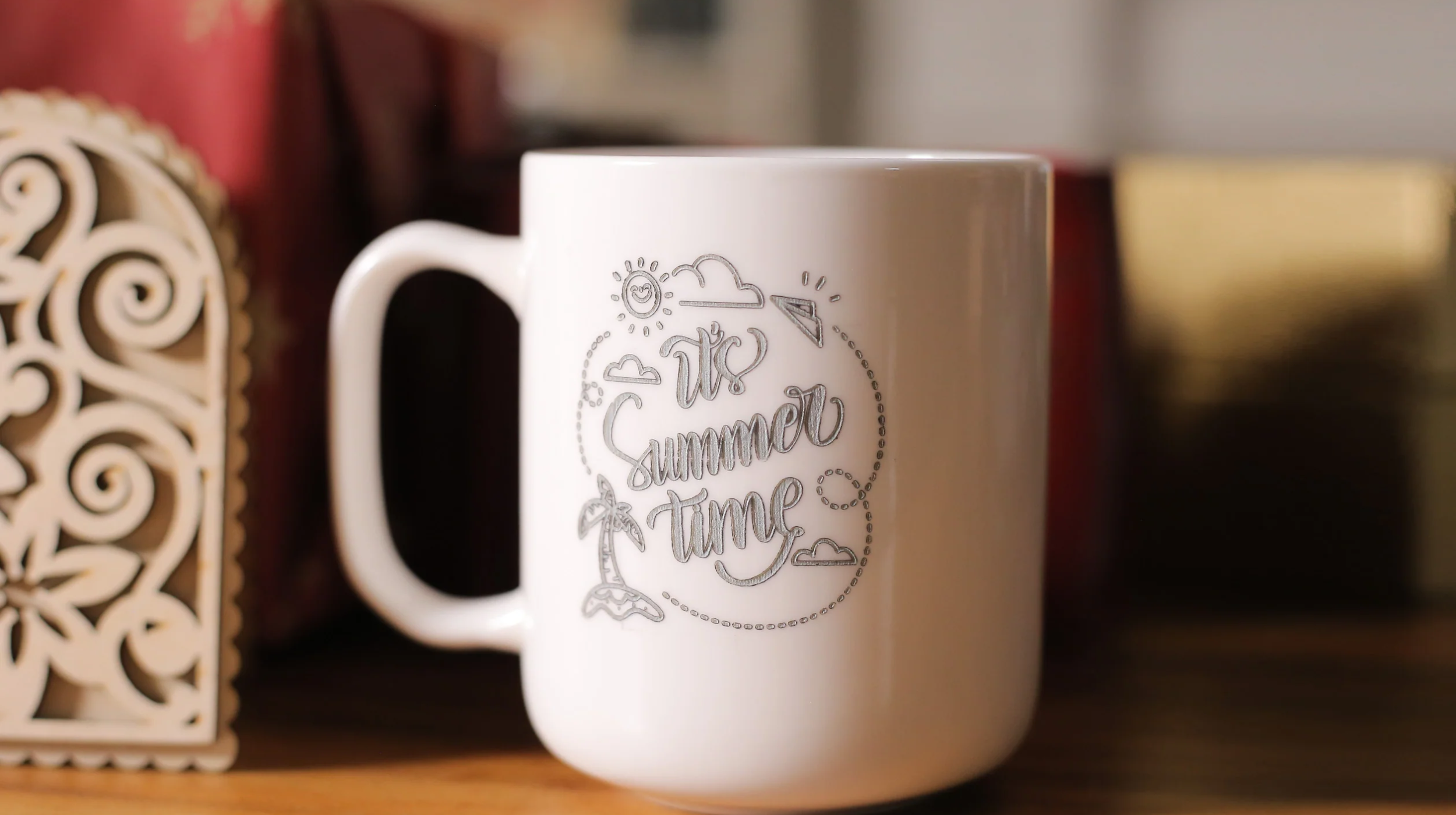
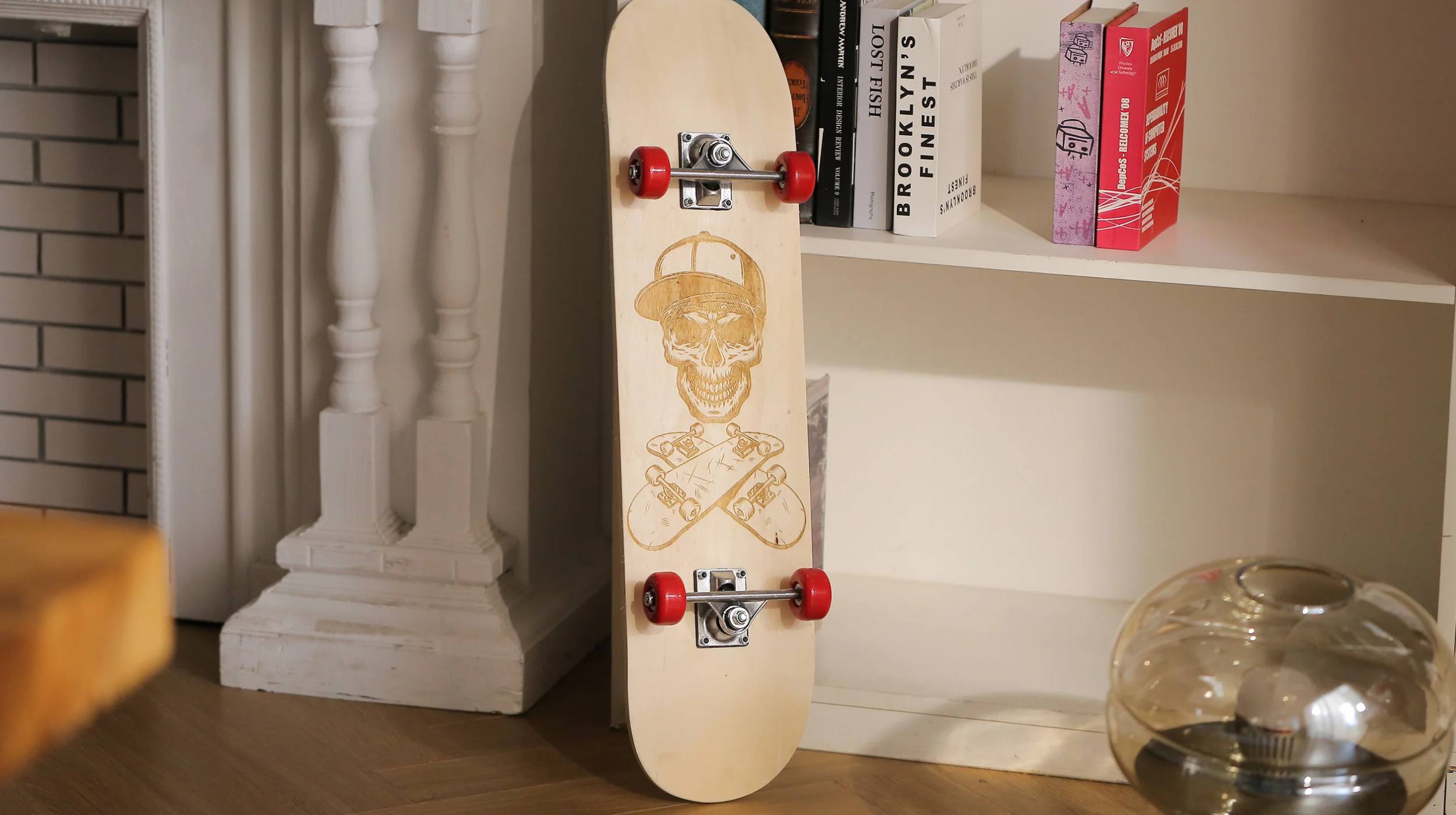
Yes. The OLM3 is widely used for small-scale production such as personalized gifts, signage, leather goods, and crafts. Its balance of speed, precision, and material compatibility makes it suitable for side businesses and light commercial use.

15. How to choose among OLM3 40W, 20W and 10W models?

If you prioritize speed and have higher cutting requirements, the 40W and 20W model is your best choice. If you value fine details and engraving precision, the 10W model will suit you better.

16. What are the recommended accessories for OLM3?

  • Air Assist Set & Engraving Platform: Essential tools for clean, burn-mark-free projects. The Air Assist Set removes dust from the laser head, while the honeycomb platform prevents laser damage to your workspace.
  • YRC1.0 Rotary Attachment: Ideal for cylindrical items such as tumblers, Christmas ornaments, and rings. 90% of users choose this accessory for enhanced versatility.
  • Extension Kit: Expand your working area up to 830 x 400 mm for large projects.
  • Enclosure 2.0 & Smoke Purifier: Recommended for indoor use to maintain clean air and ensure safety.

17. Can the OLM3 be used with the Z-Height adjuster?

Yes, the Z-Height Adjuster is compatible with all modules, including the OLM3. However, please note an additional limit block is required for proper use, and the engraving area will be reduced to 400 x 355 mm.

18. Where can I find machine engraving & cutting parameters?

You can find detailed references on engraving and cutting parameters in the official user manual or on our page LightBurn Material Settings / LaserGRBL Material Settings. These resources provide optimized settings for various materials to help you achieve the best results.